
Contents (12)
At some point, "pages and posts" are no longer enough. An estate agent wants to manage properties with floor area, price and location. A sports club wants to show its coaches with photo, contact details and group. A training provider wants courses with date and venue. With WordPress's built-in tools, all of that ends up in the body text, and every layout change becomes manual work.
That is exactly what JetEngine is built for. It is the core of the Crocoblock plugins and the tool I use most often in client projects to build "dynamic" websites: content is captured cleanly as data once and then output automatically in consistent layouts.
In this tutorial I show you what JetEngine can do according to the manufacturer, how to set it up step by step and where the typical pitfalls lie.
The short answer
JetEngine is worth it if you have structured content that is always built the same way: properties, products outside WooCommerce, team members, events, directories. It works with Elementor, the block editor (Gutenberg) and Bricks.
For a classic company website with ten static pages you don't need it. There it is just dead weight.
What JetEngine can do
According to Crocoblock's official product page, JetEngine covers these areas:
| Area | What it means in practice |
|---|---|
| Structure | Custom post types, custom content types (data in a separate table), taxonomies, meta fields, meta boxes and options pages |
| Listings | Listing items as a template for one entry, output as a grid, slider, carousel, map or calendar |
| Dynamic features | Dynamic tags, shortcodes, macros, glossaries (reusable option lists), calculated values such as total or average |
| Visibility | Dynamic Visibility: show or hide elements depending on field values, user data or roles |
| Relations | Relations between posts, taxonomies and users, as one-to-one, one-to-many or many-to-many |
| Query Builder | One interface for queries on posts, CCTs, SQL tables, WooCommerce products, terms, users, comments and REST API |
| Tables & charts | Tables Builder and Charts Builder (12 chart types according to the page), filterable with JetSmartFilters |
| Profile Builder | User accounts with their own profile pages and front-end post submission |
| REST API | Custom endpoints for CCT items, listings from external sources, sending form data to external addresses |
| Data Store | Wishlists, favourites or likes per user |
| AI features | AI website structure builder, AI query generator (via the OpenAI API) and an MCP server for WordPress |
Crocoblock also lists compatibility with Elementor Pro, ACF, WooCommerce, Pods, CPT UI, Rank Math and Yoast.
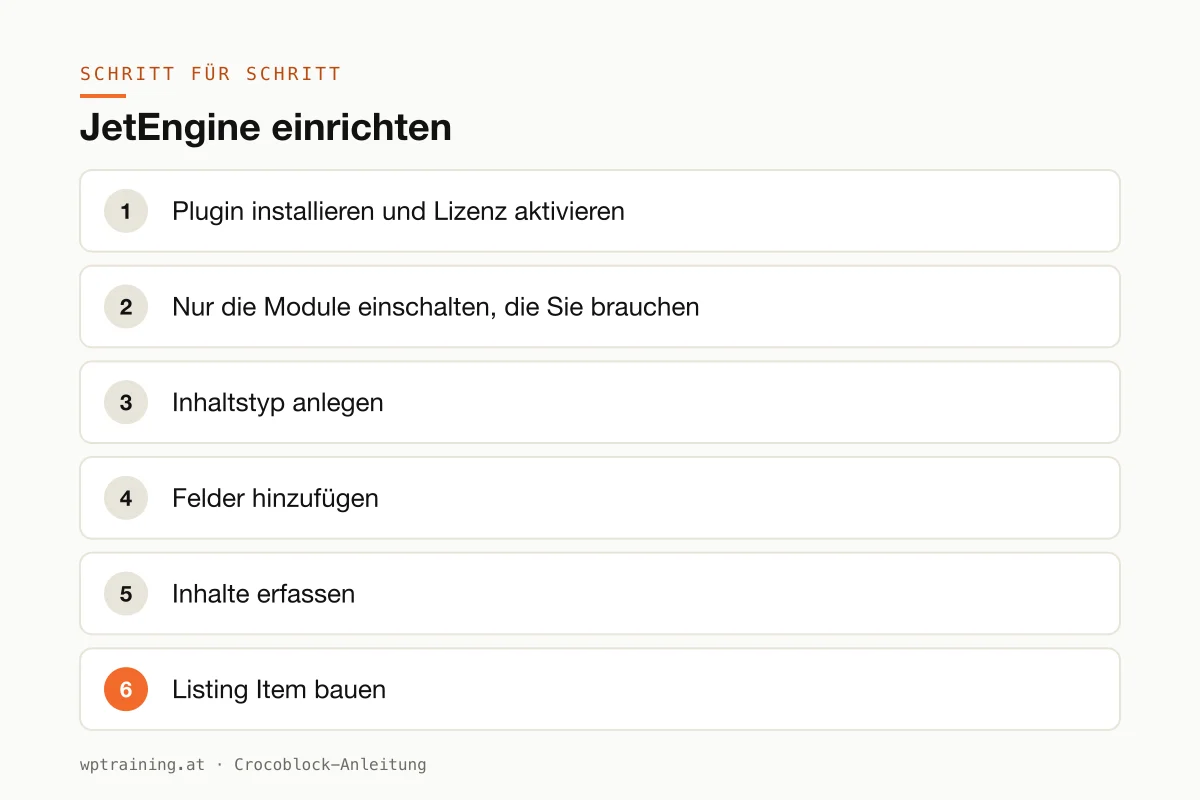
Step by step: setting up JetEngine
As a practical example, I'll build a coach overview for a sports club: each coach has a photo, name, sport and phone number, and the overview page shows all coaches as a grid.
- Install the plugin and activate the licence. Download JetEngine from your Crocoblock account and install it under Plugins → Add New → Upload Plugin. You then activate the licence in the Crocoblock dashboard in your WordPress back end.
- Switch on only the modules you need. JetEngine comes with many modules. In the JetEngine settings, switch off everything you don't use. That keeps the back end tidy and saves loading time.
- Create a content type. Under JetEngine → Post Types you create a new content type, for example "Coach" with the slug
trainer. Enable the featured image so every coach gets a photo.
- Add fields. In the same dialogue you add the meta fields: "Sport" as a select field, "Phone" as a text field. Use meaningful field names, you will need them later in the templates.
- Enter content. "Coach" now appears in the WordPress menu. Create two or three entries with real data. With test data you will see straight away in the next step whether the layout works.
- Build the listing item. Under JetEngine → Listings you create a new listing for the "Coach" content type and choose your editor (Elementor, block editor or Bricks). This is where you design a single coach card: image, name, sport, phone, each via dynamic widgets or blocks that read the fields.
- Output the overview. On the "Our team" page you insert the Listing Grid widget, choose your listing and set the number of columns. The result is an overview that updates itself with every new coach.
- Optional: filtering. If visitors should be able to filter by sport, add JetSmartFilters. How that works is covered in my JetSmartFilters tutorial.
The benefit shows at the first redesign: you change the card in one place, and every coach gets the new look.
Three practical examples
Estate agent in Salzburg. Properties as a separate content type with floor area, rooms, price and location, output as a grid and as a map. Plus a shortlist via the Data Store so prospective buyers can save properties.
Training provider in Munich. Courses and trainers as two content types, connected by a relation. Every course page automatically shows the matching trainers, every trainer page the courses.
Agency with a members' area. Using the Profile Builder, members of a trade association get their own account where they maintain their directory entry themselves. With Dynamic Visibility, only logged-in members can see the other members' contact details.
Typical mistakes and how to avoid them
- Leaving all modules active. JetEngine can do a great deal. Whatever you don't use should be switched off.
- Thinking about the structure only while building. Sketch content types, fields and relations on paper before you start clicking. Renaming fields later is tedious because listings and filters refer to them.
- Too many entries per page. A listing with 200 entries and no pagination makes any page slow. Set a limit or pagination. More levers are covered in Optimising Elementor performance.
- Forgetting the cache. After changes to listings, a page cache often still shows the old version. Clear the cache before you go looking for an error.
- Too little memory. Crocoblock recommends PHP 7.4 or higher and a WordPress memory limit of 512 MB. Cheap hosting often doesn't provide that.
Is JetEngine worth it? Costs and alternatives
JetEngine is available as a single licence. According to the product page it costs 75 US dollars per year for one website; at times Crocoblock shows a reduced promotional price there. The All-Inclusive bundle with all 23 JetPlugins costs 199 US dollars per year, All-Inclusive Plus 249 US dollars per year, and there is a lifetime licence for a one-off 999 US dollars. Crocoblock offers a 30-day money-back guarantee. (Prices as of October 2026 — please check before buying.)
My rule of thumb: if you only need JetEngine, take the single licence. As soon as filters, forms or bookings come into play, the bundle quickly pays for itself. View JetEngine at Crocoblock
There are alternatives: ACF or Pods for the fields, combined with the Loop Grid in Elementor Pro. That is leaner, but you assemble several building blocks from different vendors. JetEngine provides structure, listings, relations and queries from a single source. How JetEngine fits in with the other Crocoblock plugins is shown in my overview of the Crocoblock plugins.
Frequently asked questions
Do I need Elementor Pro for JetEngine?
No. According to Crocoblock, all JetPlugins work with Elementor without requiring Elementor Pro. JetEngine also runs with the block editor and with Bricks.
What is the difference between a custom post type and a custom content type?
A custom post type is a normal WordPress content type; its fields are stored in the general metadata table. A custom content type stores all fields in its own table. With a very large number of entries that is tidier, but it is not usable everywhere as naturally as a post type.
Can I keep using existing ACF fields?
Crocoblock explicitly lists ACF as compatible. In practice, though, for a new project I would choose one system and not maintain both in parallel.
Does JetEngine slow my website down?
Not by itself. Things get slow because of too many active modules, listings without limits and weak hosting. If you keep those under control, you get good loading times.
Help with the setup
If you'd rather not set up JetEngine on your own: in my Elementor training we plan the structure together and set it up directly on your own website, remotely, € 109 per hour. If it is more about WordPress basics, the WordPress training is the better fit.
Newsletter
WordPress know-how by email
New guides and practical tips on WordPress, Elementor and WooCommerce. No spam, unsubscribe any time.
Tags