Contents (11)
A blog lives on visitors finding the next post. The default view of many themes doesn't help much here: one long column with title, image and excerpt, post after post. It works, but it doesn't invite browsing.
JetBlog by Crocoblock is a widget pack for Elementor that addresses exactly this. It brings four building blocks to show posts as tiles, lists, a ticker or a video playlist, and lets you define precisely which posts appear at all.
I show you what JetBlog can do, how to build a magazine-style blog home page with it and when you don't need the plugin.
The short answer
JetBlog is worth it for websites where content takes centre stage: magazines, club news, company blogs with many posts. If you publish ten posts a year and use Elementor Pro's posts grid, you can do without it. According to Crocoblock, JetBlog works with the Elementor editor.
What JetBlog can do
The official product page lists four widgets and some query features:
| Widget | What it does |
|---|---|
| Smart Posts List | Posts as a list, for example for "Latest posts" or category overviews |
| Smart Posts Tiles | Posts as tiles in 9 layouts, optionally as a slider |
| Text Ticker | Headlines as a ticker, including data from RSS feeds |
| Video Playlist | Playlists of YouTube or Vimeo videos, showing the publication date |
According to the product page, these features come on top:
- Custom queries (WP Query): meta queries, date queries, including or excluding categories or tags, setting an offset and defining the order.
- Custom post types: the widgets work not only with regular posts but also with custom post types.
- Archive templates: Smart Posts List and Smart Posts Tiles can be used in archive templates to show the latest posts of a category.
- Styling: extensive style settings for tiles and sliders.
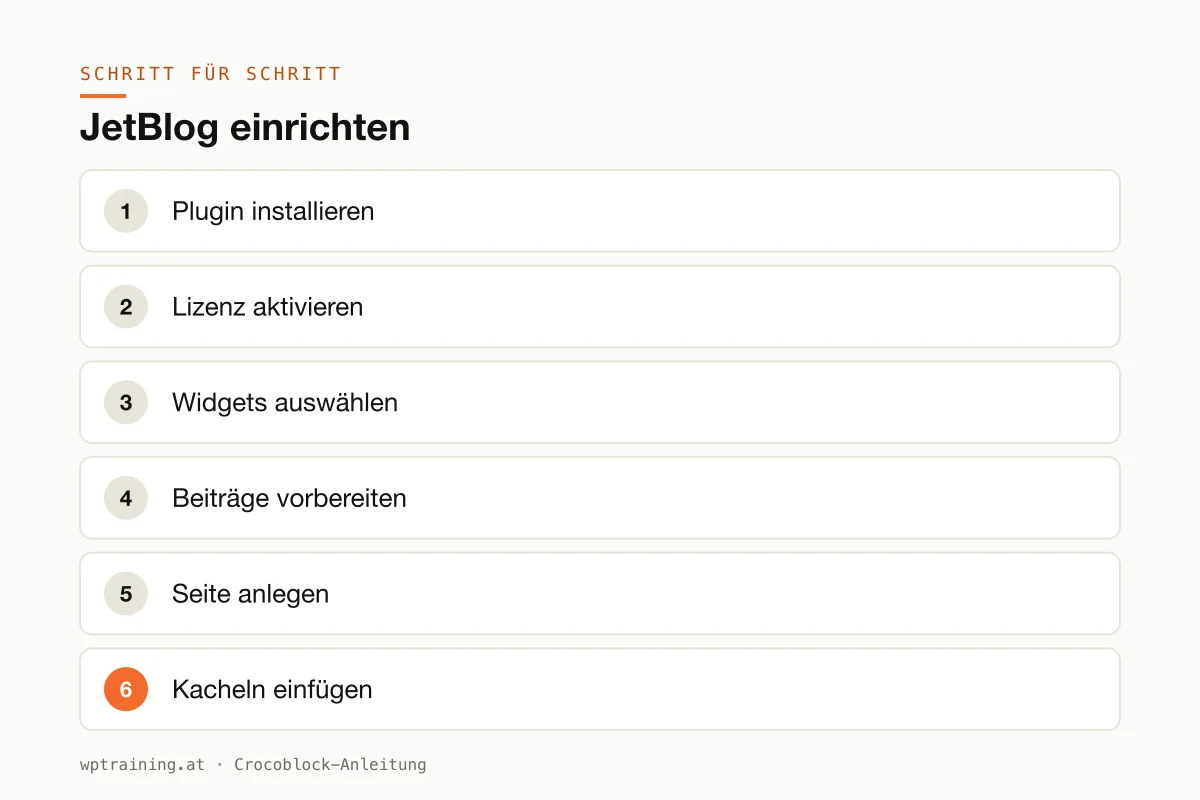
Step by step: setting up JetBlog
Practical example: a blog home page with a large tile area for the four latest posts and a list by category below it.
- Install the plugin. Upload the ZIP file from your Crocoblock account under Plugins → Add New → Upload Plugin and activate it. Elementor must be active.
- Activate the licence. Enter the licence key in the WordPress menu under Crocoblock.
- Select widgets. In the JetPlugins settings in the Crocoblock section, keep only the JetBlog widgets you use active. If you don't show videos, the Video Playlist can be switched off.
- Prepare the posts. Every post needs a featured image in the same aspect ratio. Tiles with mixed formats look restless.
- Create the page. Open a new "Blog" or "News" page in Elementor.
- Insert the tiles. Search for "Smart Posts Tiles" in the widget panel and drag it into the top area. Choose one of the nine layouts, ideally one that highlights the latest post in a larger size.
- Define the query. Four posts, sorted by date, newest first. If you don't want to show a category such as "Internal", exclude it here.
- List below. Insert the "Smart Posts List" widget, this time with an offset of four so the posts from the tiles don't appear twice.
- Style it. Fonts and colours from the global settings, spacing between the tiles, keep the hover effect subtle.
- Check on mobile and publish. On a phone the tiles should stack and the titles should remain readable.
The result: a blog home page that feels like a small magazine and puts the latest content visibly at the top. With the same query logic, you can show relevant articles on a services page.
Three practical examples
A regional magazine from Carinthia. Smart Posts Tiles with the top stories at the top, lists by section below. A Text Ticker in the header shows the latest headlines.
A brass band in Vorarlberg. The Video Playlist gathers concert recordings from the club's YouTube channel on one page. Next to it, a short list of club news.
A software company in Hamburg. The company blog uses Smart Posts List in the archive templates, separated by categories such as tutorials and product news. On each product page, the three most relevant posts appear via a filtered query.
Common mistakes and how to avoid them
Duplicate posts. If you place two widgets with the same query one below the other, you show the same posts twice. Use the offset or exclude categories.
Too many posts at once. Fifty tiles with large images make the page heavy. Show a few and link to the archive.
External videos without consent. The Video Playlist loads content from YouTube or Vimeo. Use your cookie banner to control when that may happen.
Mixed image formats. Tiles need consistent featured images. Pick one format and stick to it.
Cache after new posts. If new posts don't appear, the page cache is usually to blame. Check whether your caching plugin automatically clears the home page when new posts are published. More on this in optimising Elementor performance.
Is JetBlog worth it? Costs and alternatives
According to Crocoblock, JetBlog costs $43 per year for one website as a single licence, with one year of updates and support. At times the page shows a promotional price. The All-Inclusive Plus bundle with all 23 JetPlugins costs $249 per year. A 30-day money-back guarantee applies. (Prices as of October 2026 — please check before buying.)
To be honest: for many smaller blogs, Elementor Pro's posts widget is enough. If you also use JetEngine, you build post lists more flexibly via listings anyway. Then JetBlog is redundant.
JetBlog becomes interesting if you want a magazine layout quickly, use the news ticker with RSS data or need video playlists. For these three cases there is no direct equivalent in Elementor itself. You will find an overview of all plugins in the Crocoblock overview.
If that fits your blog: view JetBlog at Crocoblock.
Frequently asked questions
Which widgets does JetBlog include?
Four: Smart Posts List, Smart Posts Tiles, Text Ticker and Video Playlist.
Does JetBlog work with custom post types?
Yes. Crocoblock explicitly mentions support for custom post types, for example for projects, recipes or events.
Can JetBlog show videos from YouTube?
Yes. The Video Playlist creates lists of YouTube or Vimeo videos. Remember the consent for external content.
Do I need JetBlog if I have Elementor Pro?
Not for simple post grids. For tile layouts, news tickers and video playlists it can still be worth it.
If you'd rather not set up JetBlog on your own: in my Elementor training we set it up together on your own website, remotely, € 109 per hour.
Newsletter
WordPress know-how by email
New guides and practical tips on WordPress, Elementor and WooCommerce. No spam, unsubscribe any time.
Tags