Contents (11)
Long pages are a constant issue. Frequently asked questions, delivery terms, product details, service descriptions: everything is supposed to be on the page, but nobody wants to scroll forever. Tabs and accordions are the classic solution. The content stays on the page but only becomes visible when someone asks for it.
Elementor has its own widgets for this. They are enough for simple cases. But as soon as you want to put entire templates into a tab, nest tabs inside each other or restructure WooCommerce product pages, things get tight. That is where JetTabs by Crocoblock comes in.
I show you what the plugin can do, how to set it up for an FAQ section and when you don't need it.
The short answer
JetTabs makes sense if you want to fill tabs or accordions with designed templates, load content only on click or structure product pages in WooCommerce. For a plain FAQ with five questions, Elementor's free accordion is perfectly sufficient. According to Crocoblock, JetTabs works with the Elementor editor.
What JetTabs can do
The official product page lists these features:
- Tabs, horizontal or vertical, with an adjustable tab position.
- Classic accordions, horizontal or vertical, for terms and conditions, FAQs or long explanations.
- Image accordions: a row of images where each one expands on click or hover. Intended for portfolios, products or services.
- Toggles to switch back and forth between two options, for example pricing plans or product comparisons.
- Nested tabs: tabs inside tabs for content-rich pages.
- WooCommerce product tabs for description, specifications and reviews, plus extra tabs for delivery information, videos or guarantees.
- AJAX loading: a tab's content is only loaded when someone clicks it. This shortens the initial load time for complex templates.
- Content added manually or as a template: you can enter text directly or insert a ready-made Elementor template.
- Styling: spacing, icons, badges, animations such as fade, zoom or move up, scrolling to the content with an adjustable offset.
- Mobile use: the elements are meant to adapt to touch behaviour.
- WPML compatibility for multilingual sites.
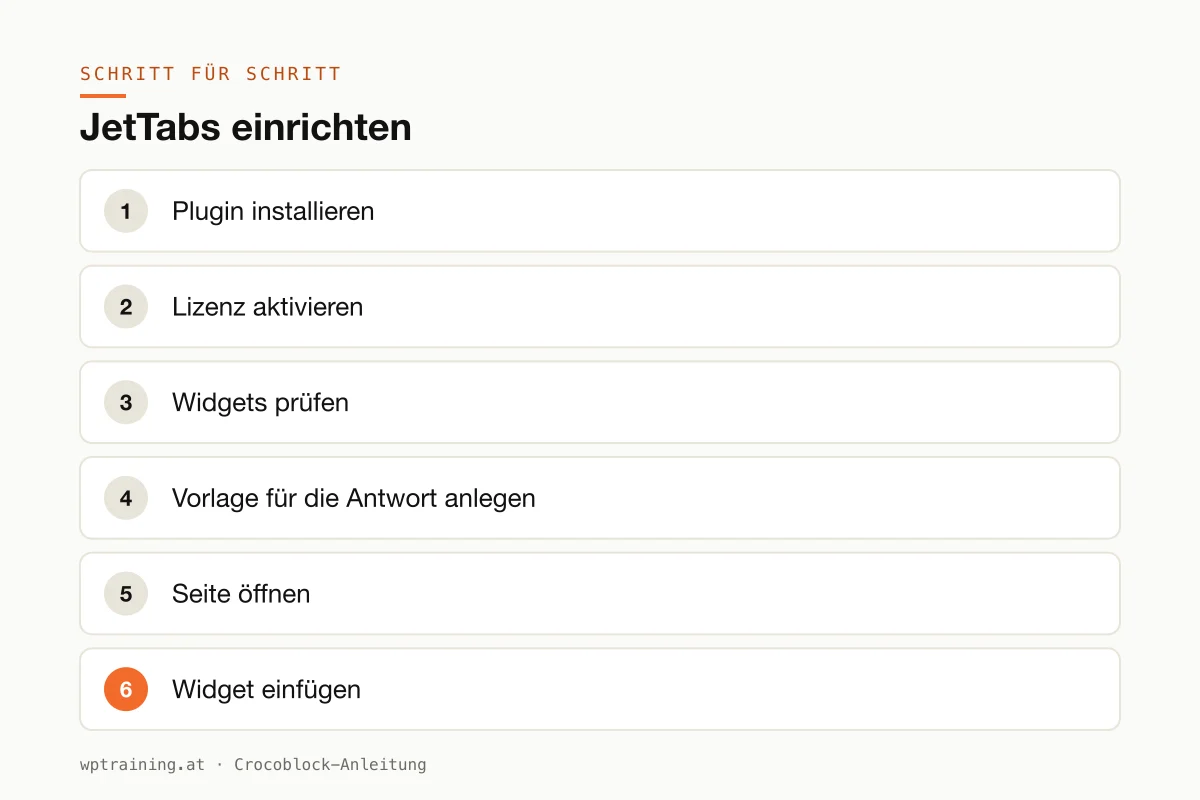
Step by step: setting up JetTabs
Practical example: an FAQ section as an accordion where one answer contains a designed template with an image and a button.
- Install the plugin. Upload the ZIP file from your Crocoblock account under Plugins → Add New → Upload Plugin and activate it. Elementor must be active.
- Activate the licence. Enter the licence key in the WordPress menu under Crocoblock.
- Check the widgets. In the JetPlugins settings in the Crocoblock section, keep only the widgets you need active.
- Create a template for the answer. Under Templates → Saved Templates, build a new section template, for example an answer with a short text, a photo and a "Request an appointment" button. Save it.
- Open the page. Edit the FAQ or services page in Elementor.
- Insert the widget. Search for "Accordion" in the widget panel and choose the JetTabs widget (recognisable by the Jet icon).
- Add the questions. Create an entry with a title for each question. For simple answers, enter the text directly; for the more elaborate answer, select the template you just saved.
- Define the behaviour. Decide whether an entry is already open on load and whether several may be open at once. For longer templates, switch on AJAX loading.
- Style it. Icons for open and closed, spacing, colours from the global settings.
- Test on mobile and publish. Use the responsive view to check that the entries open cleanly on a phone.
The result: a clear FAQ section where individual answers can be more than text. Following the same principle, you build tabs for services or a pricing toggle for monthly and annual plans.
Three practical examples
An online shop for outdoor gear in Tyrol. On the product page, WooCommerce tabs separate the description, technical data and reviews. A separate tab explains shipping to Germany and Switzerland. If you are rebuilding shop pages, the WooCommerce training provides the right framework.
A tax advisory firm in Graz. The services page in vertical tabs: bookkeeping, payroll, annual accounts. Each tab is its own template with text, a contact person and a contact button.
A photo studio in Zurich. An image accordion shows four areas: weddings, business, family, products. Hovering expands the respective image. That feels livelier than a rigid grid.
Common mistakes and how to avoid them
Hiding important content. What most visitors need to know doesn't belong in a collapsed tab. Tabs are for supplementary information.
Heavy templates without deferred loading. If you fill five tabs with galleries and videos, everything loads at once. Switch on AJAX loading for such cases.
Too many levels. Nested tabs are possible, but two levels are the limit. Beyond that nobody finds anything, least of all on a phone.
Duplicate widgets. If you install JetTabs and still use the Elementor accordion and another tabs plugin, you have three solutions for the same problem. Commit to one.
Cache after changes. For templates embedded in tabs, clear the page cache after changes.
Is JetTabs worth it? Costs and alternatives
According to Crocoblock, JetTabs costs $43 per year for one website as a single licence, including one year of updates and support. At times a reduced promotional price is shown. The All-Inclusive Plus bundle with all 23 JetPlugins costs $249 per year. A 30-day money-back guarantee applies. (Prices as of October 2026 — please check before buying.)
To be honest: JetTabs alone is rarely the reason to buy Crocoblock. Elementor includes tabs, an accordion and a toggle for free, and newer Elementor versions can also handle nested content. If that is enough for you, save yourself the licence.
JetTabs becomes interesting when you insert templates into tabs, want image accordions or already work with other JetPlugins. Combined with JetElements and JetEngine, the bundle is usually the better deal. You will find the overview in the Crocoblock overview.
If the extra features matter to you: view JetTabs at Crocoblock.
Frequently asked questions
What is the difference between JetTabs and the Elementor tabs?
The Elementor widgets cover simple tabs, accordions and toggles. JetTabs adds image accordions, WooCommerce product tabs, templates as content and AJAX loading.
Can I structure WooCommerce product pages with JetTabs?
Yes. Crocoblock explicitly mentions product tabs for description, specifications and reviews, as well as extra tabs, for example for delivery information or guarantees.
Is content in tabs bad for SEO?
Content that is in the source code on page load can be read by Google. If you load tabs via AJAX, the content is not initially in the source code. For search-relevant text I would therefore not use deferred loading.
Does JetTabs work with multilingual sites?
Crocoblock mentions WPML compatibility. You should test other translation plugins beforehand.
If you'd rather not set up JetTabs on your own: in my Elementor training we set it up together on your own website, remotely, € 109 per hour.
Newsletter
WordPress know-how by email
New guides and practical tips on WordPress, Elementor and WooCommerce. No spam, unsubscribe any time.
Tags