
Contents (12)
Reviews sell. That applies to products in a shop just as much as to holiday apartments, courses or craft businesses in a directory. Visitors believe other customers more than any advertising copy.
WordPress only brings the comment function for this, WooCommerce a simple star rating for products. As soon as you want more, such as reviews by several criteria, photos from customers or reviews for content other than products, you hit limits.
JetReviews from Crocoblock starts there. The plugin turns reviews into a separate, freely designable system that is not tied to products. I show what the plugin can do according to the manufacturer, how I set it up and when the built-in tools are enough.
The short answer
JetReviews is worth it if you need reviews for more than just WooCommerce products, for example for your own content types or user profiles, or if you want reviews by several criteria, with photos and with voting. According to the product page, it works with Elementor, the block editor (Gutenberg) and Bricks.
If the simple WooCommerce product reviews are enough for you, you do not need it.
What JetReviews can do
According to the official product page, JetReviews offers these features:
| Area | What that means in practice |
|---|---|
| Review types | Your own review types for posts, pages, products, events, orders, custom post types and users |
| Fields and logic | Combine different field types, customise the rating, its view and logic |
| Rating scale | Stars, percent, points and more |
| WooCommerce | Latest ratings on product pages, star rating on the product page, import of existing WooCommerce reviews, sorting by rating |
| Filtering | Products filterable by rating in combination with JetSmartFilters |
| Testimonials | Client testimonials with name, headshot and date, output anywhere on the site with JetEngine |
| Comments and voting | Comments, replies, likes and dislikes, changing a vote afterwards, opening or restricting comments for guests |
| Submission | Required fields and reCAPTCHA, roles for users such as guest, client, manager, querying reviews by criteria |
| Photos | Customers can upload photos when leaving a review |
| Moderation | Edit, delete and sort reviews in the WordPress dashboard, statistics, notifications, behaviour conditions |
| More | Comment and review lists, review statistics, admin notifications, prohibited words check |
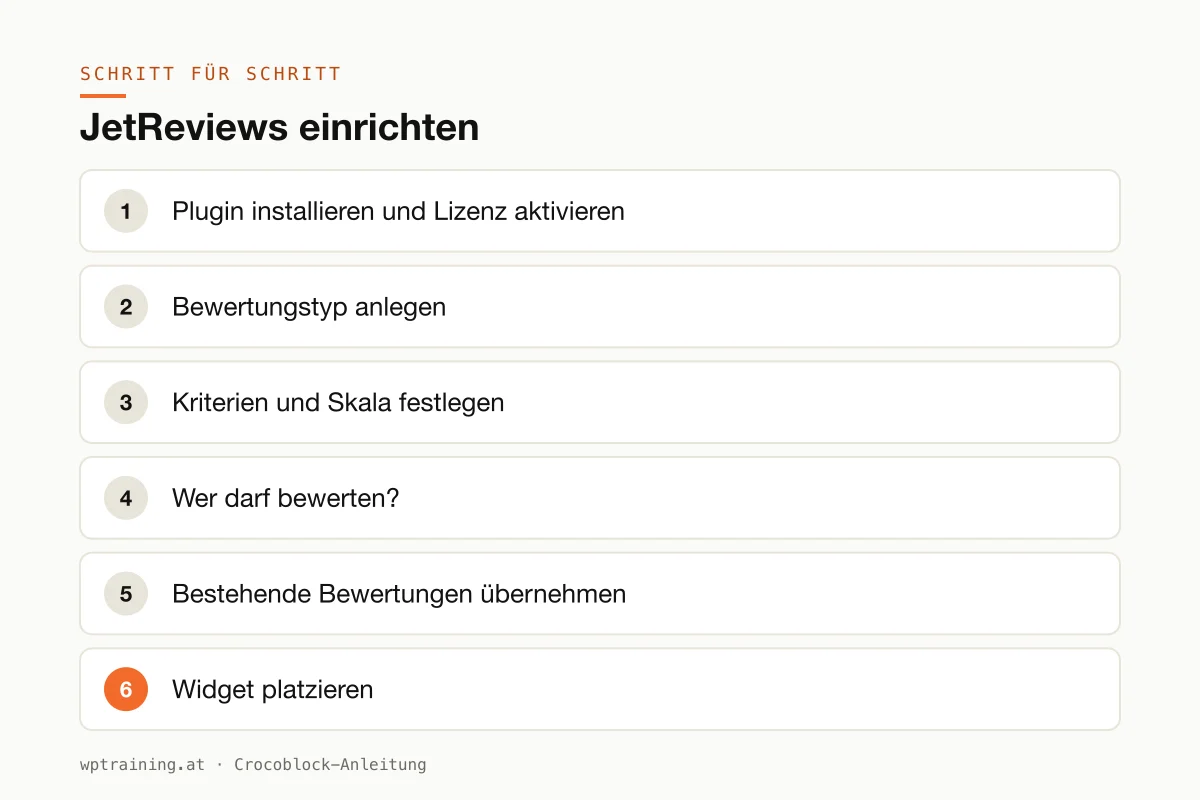
Step by step: setting up JetReviews
Prerequisite: you know what should be reviewed. Products? Holiday apartments from a custom content type? Trainer profiles? Everything else depends on that.
- Install the plugin and activate the licence. Download JetReviews from your Crocoblock account, install it under Plugins → Add New → Upload Plugin and activate it. Enter the licence key in the WordPress menu Crocoblock.
- Create a review type. In the JetReviews settings, create a review type and assign it to the content type that should be reviewed.
- Define criteria and scale. Decide whether there is one overall rating or several criteria, such as cleanliness, location and amenities for a holiday apartment. Choose the scale: stars are the most familiar.
- Who may review? Decide whether guests may leave reviews or only logged-in users with certain roles. Activate reCAPTCHA and required fields, otherwise you will have spam within a few days.
- Take over existing reviews. If you already have WooCommerce reviews, use the import so nothing gets lost.
- Place the widget. Put the JetReviews widget or block into your template for single pages, i.e. where the product or the apartment is displayed.
- Set up moderation. Switch on admin notifications and enter a list of prohibited words. Decide whether new reviews appear immediately or only after approval.
- Test. Write a test review as a guest and as a logged-in user, with a photo. Check whether the average rating is correct.
Three practical examples
Holiday apartments. A landlord in Zell am See lets guests rate cleanliness, location and amenities. The averages appear at the top of each apartment page.
Online shop for outdoor equipment. A shop from Tyrol takes over its existing WooCommerce reviews, adds customer photos and lets other visitors mark reviews as helpful.
Course provider. A language school in Vienna collects testimonials with name, photo and date and shows them with JetEngine on the home page and next to the courses.
Typical mistakes and how to avoid them
Starting without spam protection. An open review form without reCAPTCHA is found quickly. Enable protection from the start.
Too many criteria. Anyone who has to fill in seven criteria will not review at all. Three to four are enough.
Reviews and the law. If you publish reviews, you should make it transparent whether and how they are checked. Clarify this for your case before going live.
Caching. New reviews do not appear because the page is served from the cache. Check how your caching plugin handles comments.
Two review systems in parallel. If WooCommerce reviews and JetReviews are visible at the same time, customers get confused. Decide on one.
Is JetReviews worth it? Costs and alternatives
According to the product page, JetReviews costs 43 US dollars per year for one website as a single licence, at times with a reduced promotional price. One year of updates and support is included. The All-Inclusive Plus package with all 23 JetPlugins costs 249 US dollars per year. Crocoblock states a 30-day money-back guarantee. (Prices as of October 2026 — please check before buying.)
For a pure shop with simple product reviews, WooCommerce is enough, and there are dedicated review plugins as well as external review platforms. JetReviews is strong when you need reviews for your own content types or users and have already built a directory or portal with JetEngine. That is where the combination shows its advantages. View JetReviews at Crocoblock
You will find an overview of all plugins in my overview of the Crocoblock plugins.
Frequently asked questions
Can I let people review users with JetReviews?
Yes. According to the product page, reviews can be set up not only for posts and products but also for users, for example for providers in a directory.
Will I lose my existing WooCommerce reviews?
No, if you use the import. According to the manufacturer, existing product reviews can be imported from WooCommerce.
Can customers upload photos with their review?
Yes, photo upload is one of the listed features.
Does JetReviews work without Elementor?
Yes. The product page lists Elementor, the block editor and Bricks as supported editors.
Help with the setup
If you would rather not set up JetReviews on your own: in my Elementor training we set it up together on your own website, remotely, € 109 per hour. If it is about reviews in your shop, the WooCommerce training is a good fit too.
Newsletter
WordPress know-how by email
New guides and practical tips on WordPress, Elementor and WooCommerce. No spam, unsubscribe any time.
Tags