Contents (12)
In an online shop, the product image replaces reaching for the shelf. Customers want to see what the jacket looks like from behind, how big the pot is next to a hand and whether the blue really is that blue. The standard WooCommerce gallery does this solidly, but without much room to manoeuvre.
JetProductGallery is the Crocoblock plugin that replaces exactly this gallery. You get several layouts, videos inside the gallery, a lightbox with zoom and images that change with the selected variation.
Here I show what JetProductGallery can do according to the manufacturer, how I set it up and when the effort pays off.
The short answer
JetProductGallery is worth it for shops where images decide the purchase: fashion, furniture, crafts, food in attractive packaging. Especially if you want to show videos or switch images per variation. According to the product page, it works with Elementor and the block editor (Gutenberg).
If you have one or two images per product and no variations, the WooCommerce gallery is perfectly sufficient.
What JetProductGallery can do
According to the official product page, JetProductGallery offers these features:
| Area | What that means in practice |
|---|---|
| Layouts | Product images as a grid, custom gallery layouts to match your brand |
| Image sources | WooCommerce products, any custom post type, custom images |
| Video | A video as the featured media, plus overviews or tutorial videos on the product page |
| Lightbox | Enlarge images in a pop-up, with fullscreen, zoom, share, counter and arrows |
| Animations | Hover, zoom, flip, swap, rollover |
| Slider | Show several images at once, the product from several angles |
| Variations | A separate image gallery per variation, for example by colour or size |
| Anchor navigation | Scrollable image layout with jump links to the individual images |
The demos on the product page also show a use outside of shops, such as a lightbox gallery for holiday apartments. That fits with the ability to pull images from your own content types.
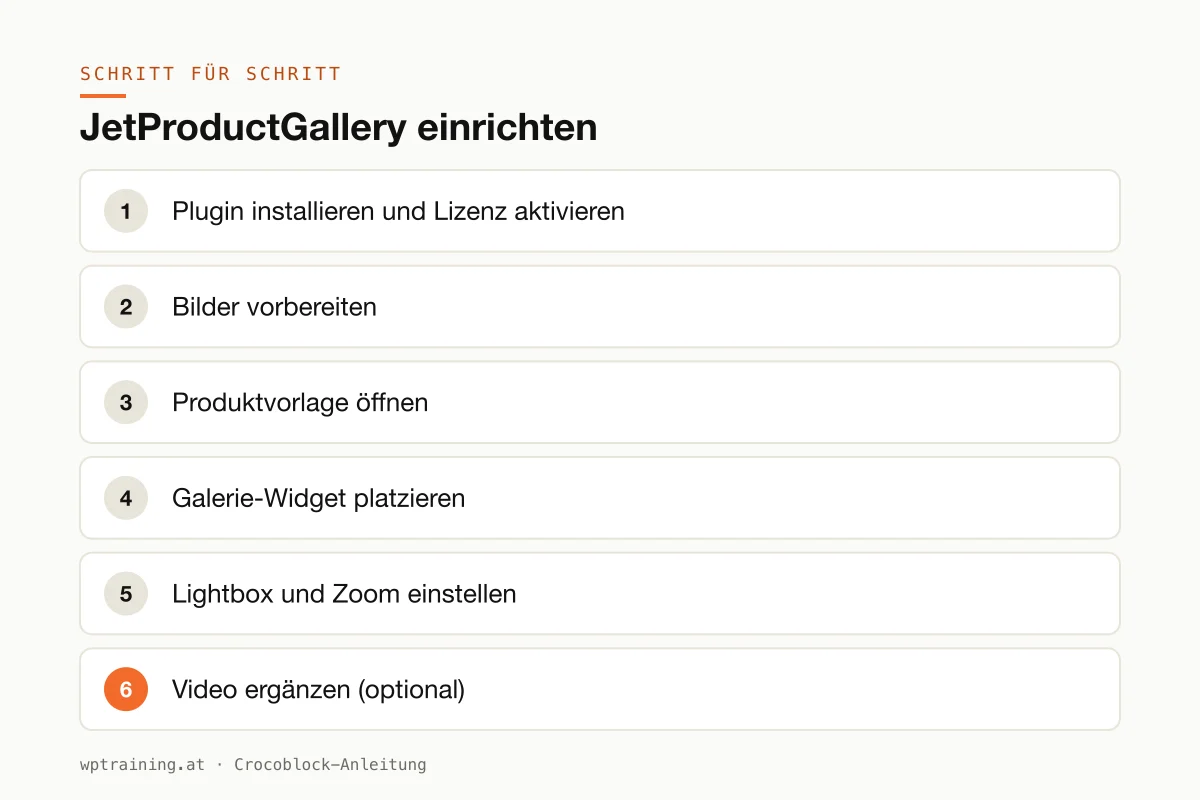
Step by step: setting up JetProductGallery
Prerequisite: WooCommerce is running and your products have a featured image and gallery images. For the variation gallery you need variable products with several variations.
- Install the plugin and activate the licence. Download JetProductGallery from your Crocoblock account, install it under Plugins → Add New → Upload Plugin and activate it. Enter the licence key in the WordPress menu Crocoblock.
- Prepare the images. Before you design anything: bring your product images to a consistent aspect ratio and a sensible file size. No gallery in the world can rescue inconsistently cropped photos.
- Open the product template. The gallery sits wherever your single product page is designed. That is either a template from JetWooBuilder, from the Elementor Theme Builder or a block template in the block editor.
- Place the gallery widget. Replace the existing product gallery with a JetProductGallery gallery widget or block. Choose the layout: a grid for calm pages, a slider when many images come together.
- Set up lightbox and zoom. Activate the lightbox and decide which controls are visible. I usually keep fullscreen, zoom and arrows on and switch sharing off if nobody needs it.
- Add a video (optional). If you have a product video, embed it as part of the gallery. Check how the video is embedded, because external video services are a topic for your privacy policy.
- Test the variations. Open a variable product on the front end, select a different colour and check whether the gallery switches. Then do the same on a phone.
Three practical examples
Traditional costume fashion. A shop in Salzburg sells dirndls in several colours. With the variation gallery, customers see the right photos immediately after choosing a colour instead of one combined image.
Furniture joinery. A joinery from Vorarlberg shows a dining table in the slider from several angles, plus a short video about the surface. In the lightbox with zoom, the wood grain becomes visible.
Holiday apartments. A landlord in the Pinzgau uses the gallery without a shop: the images of each apartment come from a separate content type and open in the lightbox.
Typical mistakes and how to avoid them
Uploading huge original images. The gallery shows what you give it. Photos straight from the camera slow down every product page. Compress them beforehand and use modern image formats.
Too many effects. Hover, flip and rollover at the same time look restless and distract from the product. One effect is enough.
Two galleries on one page. If the theme still outputs its own gallery, you see the images twice. Check the product template and remove the old gallery.
Videos without regard for data protection. Embedded videos from external platforms load data from third parties. Clarify this before the page goes live.
Forgetting the cache. After the rebuild, the front end often still shows the old gallery. Clear the cache before you go looking for a bug.
Is JetProductGallery worth it? Costs and alternatives
According to the product page, JetProductGallery costs 43 US dollars per year for one website as a single licence, at times with a reduced promotional price. One year of updates and support is included. The All-Inclusive Plus package with all 23 JetPlugins costs 249 US dollars per year. Crocoblock states a 30-day money-back guarantee. (Prices as of October 2026 — please check before buying.)
To be honest: for many small shops the standard WooCommerce gallery is good enough, and Elementor Pro also has a product images widget. There are also free plugins for variation images. JetProductGallery plays to its strengths when you want video, lightbox control, variation images and several layouts from a single source, and when you already work with Crocoblock. View JetProductGallery at Crocoblock
I show how Crocoblock's shop plugins work together in my overview of the Crocoblock plugins.
Frequently asked questions
Does JetProductGallery work without WooCommerce?
According to the product page, the gallery can also draw images from any custom post type and from custom images. The focus, however, is clearly on product pages.
Can I add product videos to the gallery?
Yes. According to the manufacturer, a video can be embedded as the featured media, along with further videos such as overviews or tutorials.
Do the images change automatically when customers select a variation?
That is one of the core features: you can show a separate image gallery per variation, for example by colour or size.
Do I need JetWooBuilder for this?
Not necessarily. The gallery is available as an Elementor widget and for the block editor. You only need a place where you can design the product page.
Help with the setup
If you would rather not set up JetProductGallery on your own: in my Elementor training we set it up together on your own website, remotely, € 109 per hour. If it is about the whole shop, such as products, shipping and payment methods, you are better off starting with the WooCommerce training.
Newsletter
WordPress know-how by email
New guides and practical tips on WordPress, Elementor and WooCommerce. No spam, unsubscribe any time.
Tags