Contents (18)
For WordPress projects by freelancers and small businesses. Planning before building: this worksheet brings structure to your WordPress project before you make your first click in the backend.
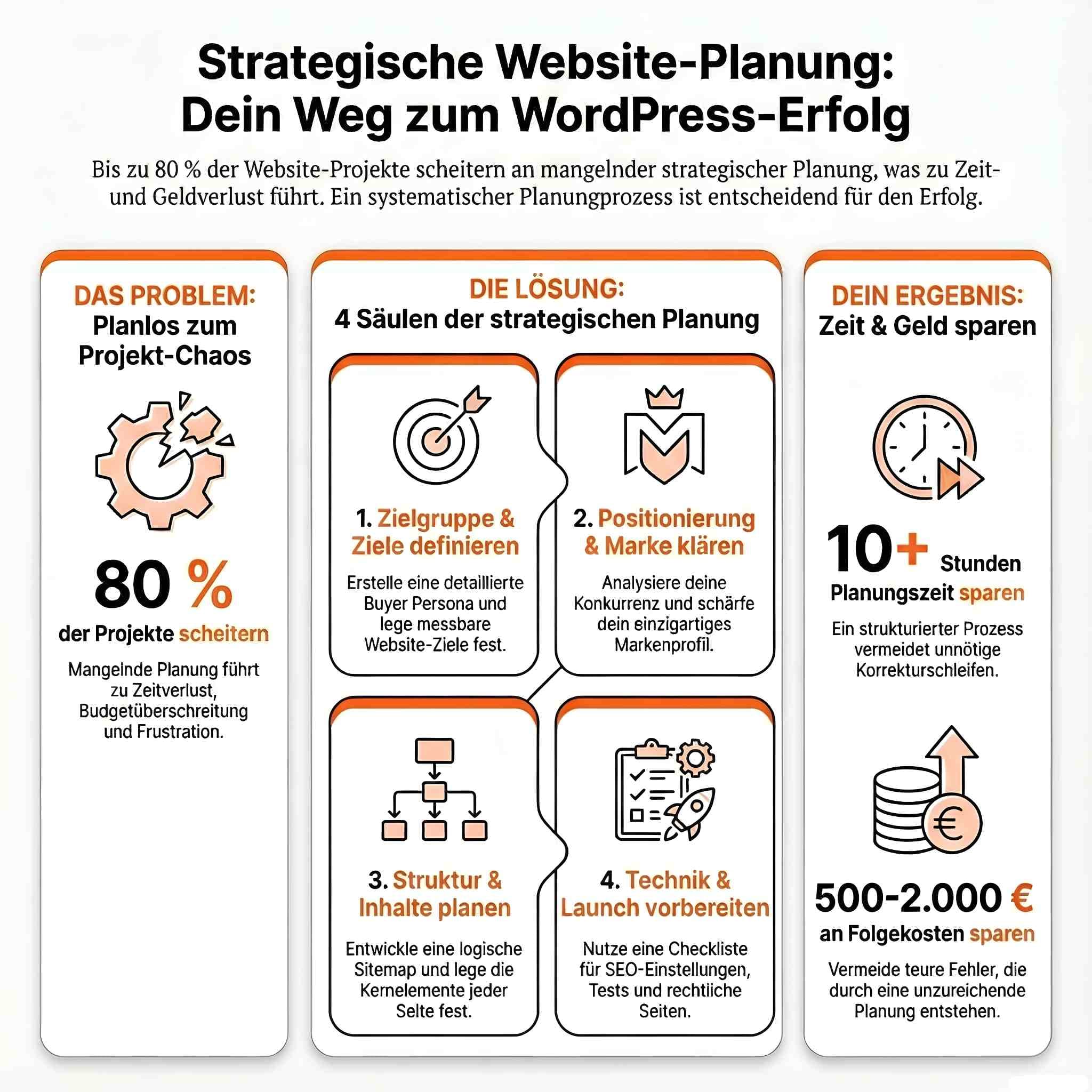
In my training sessions, I keep seeing the same pattern. The website gets built, the theme is installed, the first pages are created, and then it turns out that nobody knows exactly who the site is actually for and what it is supposed to achieve. Then it gets rebuilt. That costs time and, if someone is being paid for it, money too.
This worksheet prevents that. It is not theory, but a list of questions you should answer before you even install WordPress.
How to use the worksheet
- Print or copy it: transfer the questions into a document or print out the page. Writing by hand works surprisingly well, because you keep things shorter.
- Work through it in order: the sections build on each other. Without a clear target group, it is hard to set goals, and without goals there is no sensible page structure.
- Keep your answers short: one sentence per field is enough. If you have no answer to a question, that in itself is an important result.
- Discuss it with someone: show the completed sheet to a person who knows your business. Others spot gaps more quickly.
Allow one to two hours. You will recoup that time several times over during the build.
Project basics
1. Target group & audience
Primary target group:
Buyer persona
2. Website goals & purpose
3. Positioning & brand image
Competitor analysis:
| Competitor | Strengths | Weaknesses | Opportunities for you |
|---|---|---|---|
4. Website structure & sitemap
Primary pages (main navigation):
Launch checklist
Three planning mistakes I see often
Starting with the design. A nice theme is quickly found, and then the content gets bent into shape until it fits. The other way round works better: first know what needs to go on the pages, then choose the design that suits it.
Putting off the copy. The most common reason a launch date slips is missing copy. The technical side is done in a few days; the copy takes weeks. Start on it as soon as the page structure is in place, not once the website has been fully built.
Planning too many pages. Ten half-filled pages come across as weaker than five good ones. Start with what you can genuinely fill well. A WordPress website can be expanded at any time.
A fourth point, which is more of a habit: keep the completed worksheet. If, a year from now, you are wondering whether a new page or a new plugin makes sense, check it against your original goals. That saves a lot of rebuilds that end up helping nobody.
And then?
With the completed worksheet, you have more in hand than many people who already have a finished website. You know who you are building for, what the site needs to achieve and which pages you need.
If you want to handle the build yourself and would like someone by your side, my WordPress training is the right next step. I work with you remotely and 1:1 on your own project, and I am happy to use this worksheet as the starting point. An hour costs € 109,–.
Frequently asked questions
Why do I need a website planning worksheet?
Without a plan, you end up building twice. The worksheet makes you define your target group, goals and page structure in advance. That saves time and money during the build.
What should website planning include?
Target group, the website’s goal, positioning against competitors, page structure, content, technical requirements, budget and a realistic timeline.
Can I also use the worksheet for a website relaunch?
Yes. For a relaunch, it also helps you assess existing content and plan redirects from old URLs. That way, no search engine rankings are lost.
How long does it take to fill in?
Allow one to two hours. If you get stuck on a question for a long time, that is a sign that something is still unresolved right there.
Newsletter
WordPress know-how by email
New guides and practical tips on WordPress, Elementor and WooCommerce. No spam, unsubscribe any time.